
Hreflang Sitemap: Complete XML Example & Validation Checklist
Key Takeaways
- Google supports hreflang in HTML link elements, HTTP headers, and XML sitemaps; the three methods are equivalent signals, so choose the one your team can maintain accurately
- Every URL entry must include the same complete set of alternates, including its own self-reference, and the relationships must be reciprocal
- A sitemap file can contain up to 50,000 URLs or 50 MB uncompressed; use a sitemap index when the site needs more files, with the split based on limits and maintainability
lastmodshould describe a substantive change to the page, not a routine hreflang edit or the date the sitemap was generated
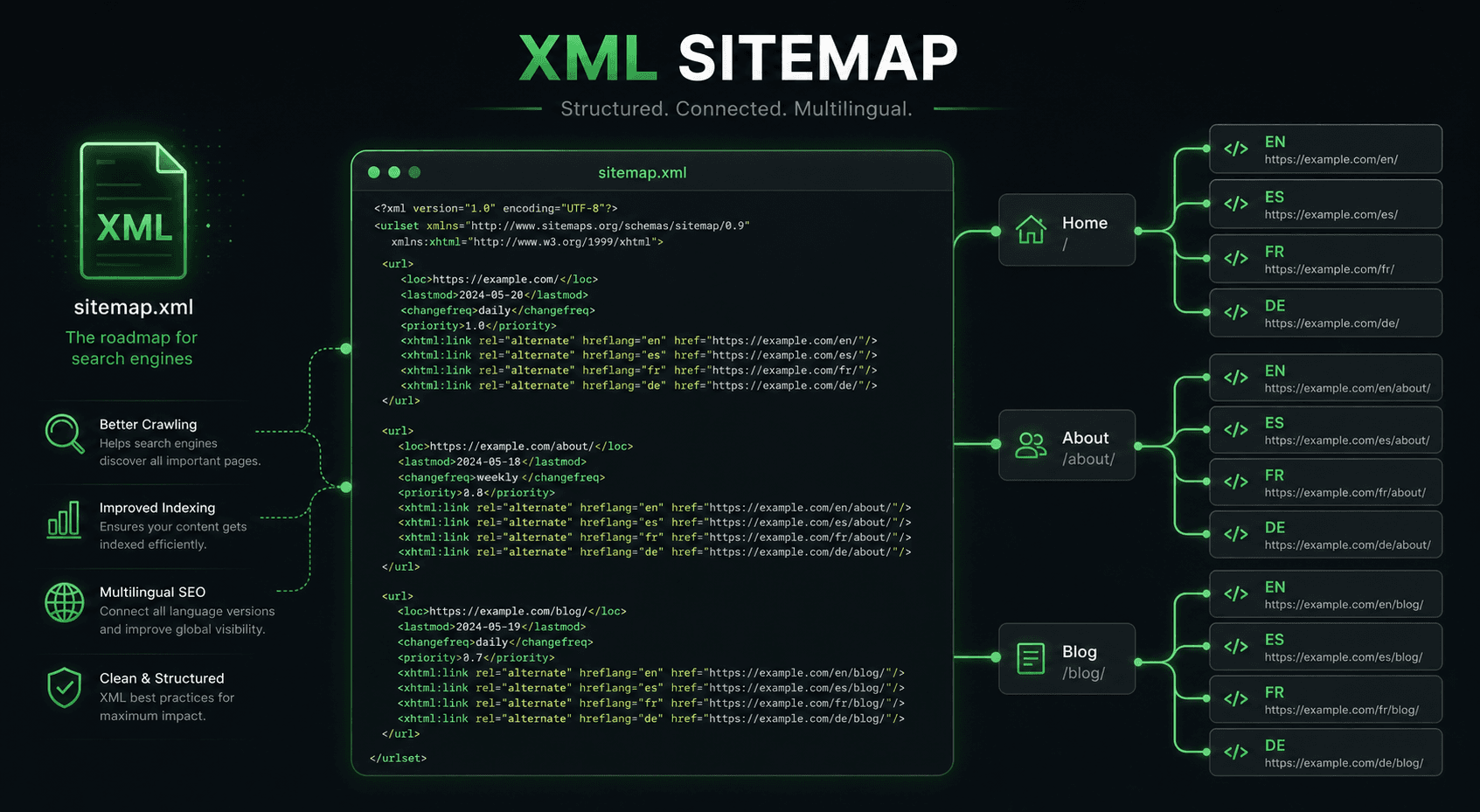
When hreflang lives in an XML sitemap, the language relationships are declared alongside the URLs instead of being repeated in every page template. This can make a large multilingual site easier to regenerate and review, provided that every entry contains a complete and consistent cluster.
The example below uses three versions of one product page. It puts the English URL in both the en and x-default annotations; the same URL may serve both roles when English is also the chosen fallback page. A language selector or another suitable page could be used for x-default instead.
Complete XML Example: Three Versions, One Consistent Cluster
<?xml version="1.0" encoding="UTF-8"?>
<urlset xmlns="http://www.sitemaps.org/schemas/sitemap/0.9"
        xmlns:xhtml="http://www.w3.org/1999/xhtml">

  <url>
    <loc>https://example.com/en/product</loc>
    <xhtml:link rel="alternate" hreflang="en" href="https://example.com/en/product" />
    <xhtml:link rel="alternate" hreflang="fr" href="https://example.com/fr/product" />
    <xhtml:link rel="alternate" hreflang="de" href="https://example.com/de/product" />
    <xhtml:link rel="alternate" hreflang="x-default" href="https://example.com/en/product" />
  </url>

  <url>
    <loc>https://example.com/fr/product</loc>
    <xhtml:link rel="alternate" hreflang="en" href="https://example.com/en/product" />
    <xhtml:link rel="alternate" hreflang="fr" href="https://example.com/fr/product" />
    <xhtml:link rel="alternate" hreflang="de" href="https://example.com/de/product" />
    <xhtml:link rel="alternate" hreflang="x-default" href="https://example.com/en/product" />
  </url>

  <url>
    <loc>https://example.com/de/product</loc>
    <xhtml:link rel="alternate" hreflang="en" href="https://example.com/en/product" />
    <xhtml:link rel="alternate" hreflang="fr" href="https://example.com/fr/product" />
    <xhtml:link rel="alternate" hreflang="de" href="https://example.com/de/product" />
    <xhtml:link rel="alternate" hreflang="x-default" href="https://example.com/en/product" />
  </url>

</urlset>
There is one <url> entry for each language version. The three entries repeat the same four alternate links, and each entry includes a self-reference. This repetition is required for a reciprocal cluster: the French entry does not contain only the English and French links, for example.
Syntax and Structural Requirements
The xmlns:xhtml declaration enables the xhtml:link elements inside the sitemap. Both <loc> and href should use the complete absolute URLs that you want Google to crawl.
| Requirement | Validation question |
|---|---|
xmlns:xhtml is declared on <urlset> | Can an XML parser resolve every xhtml:link element? |
| Each entry has a self-referencing alternate | Does every <loc> appear as the matching hreflang link in its own entry? |
| Each entry repeats the complete alternate set | Do all language versions and the optional x-default appear in every entry? |
| References are reciprocal | Does every language page link back to every other page in the same cluster? |
| URLs are absolute and map to the intended pages | Do loc and href identify the corresponding language URLs without a locale or path mix-up? |
Use valid language or language-region values such as en or en-GB, and keep the mapping tied to the same logical page. A product page should point to the equivalent product page in each locale, rather than sending one alternate to a section landing page.
HTML, HTTP Headers, and XML Sitemaps Are Equivalent Methods
Google documents three ways to declare localized versions: HTML <link> elements, HTTP response headers, and XML sitemaps. They convey the same hreflang relationship. HTML is useful when the page template owns the metadata; HTTP headers work for non-HTML resources such as PDFs; XML sitemaps are useful when a central generation pipeline is easier to keep accurate.
Engineering recommendation: Choose one source of truth when possible. A hybrid implementation is allowed, but independently maintained copies can drift. If more than one method is present, keep the URL map, language codes, self-references, and reciprocal links consistent across every method.
How to Split Large Sitemaps
A sitemap file supports up to 50,000 URLs or 50 MB of uncompressed data. Hreflang does not change those limits: each language version represented by a <url> element counts as one URL entry. For example, 15,000 logical pages in four locales produce 60,000 URL entries and need more than one sitemap file.
Use a sitemap index to reference the files:
<!-- sitemap-index.xml -->
<sitemapindex xmlns="http://www.sitemaps.org/schemas/sitemap/0.9">
  <sitemap>
    <loc>https://example.com/sitemaps/products-hreflang.xml.gz</loc>
  </sitemap>
  <sitemap>
    <loc>https://example.com/sitemaps/categories-hreflang.xml.gz</loc>
  </sitemap>
  <sitemap>
    <loc>https://example.com/sitemaps/blog-hreflang.xml.gz</loc>
  </sitemap>
</sitemapindex>
Splitting by section, language, generation job, or another stable boundary can all be valid. Engineering recommendation: Base the decision on the 50,000-URL and 50 MB uncompressed limits, ownership, deployment workflow, and how the team debugs the files. A language variant may be referenced from an entry in another sitemap file; the files do not have to be grouped by language, and a cluster does not become invalid merely because its entries are distributed across files.
Gzip is supported for sitemap delivery, but compression does not remove the uncompressed size limit. Whichever partition you choose, regenerate every affected entry when a URL mapping changes and keep the full cluster in each entry.
Use lastmod for Substantive Page Changes
The <lastmod> element is optional. When it is included, use the date when the page itself had a significant update that the date communicates. Do not mechanically set it to the day a hreflang annotation changed, the day the sitemap was generated, or today. An accurate page modification date is more useful than a date that changes on every regeneration.
Validation and Submission Checklist
- Parse the XML and confirm the sitemap and
xhtmlnamespaces. - For every logical page, build a map of all language URLs and the optional
x-defaultURL. - Check that every
<url>entry contains the same complete alternate set and its own self-reference. - Check bidirectionality: every alternate page points back to every other member of the cluster.
- Check that every absolute URL maps to the intended crawlable page and that locale paths, redirects, canonicals, and status responses are consistent with the chosen implementation.
- When one URL changes, update every affected reference in the cluster and in any other hreflang method that the site maintains.
- Submit the sitemap or sitemap index through Google Search Console or reference it in
robots.txt. Google no longer supports the old sitemap ping endpoint.
These checks validate the implementation; they do not provide a guaranteed processing time or ranking outcome. Keep the generated files and the source URL map reviewable so a failed or missing relationship can be traced back to its input.
The illustrative MendMySEO demo may show hreflang evidence and guidance, but it is not a complete sitemap-validation or production-availability claim. Review the current release status.
Frequently Asked Questions
Can I put hreflang annotations in my regular sitemap?
Yes. You can add xhtml:link elements to an existing sitemap or generate a dedicated hreflang sitemap and reference it from a sitemap index. The important part is the complete, reciprocal set of annotations for every URL entry.
Do all language versions of a cluster have to be in the same sitemap file?
No. The files can be split across an index for operational reasons. Keep every entry complete and keep the relationships reciprocal even when the entries are in different files.
Do I need to include lastmod?
No. It is optional. If you use it, record substantive changes to the page, including meaningful content, structured-data or link updates. Do not change it merely because the sitemap was regenerated.
Should I use the sitemap method for a small site?
Any of Google's three methods can be appropriate. For a small site, HTML may be simplest; for a site whose URL relationships are generated centrally, a sitemap may be easier to maintain. Choose based on reliable ownership of the source data and the ability to validate every cluster.