
SEO Audit Report Template: What to Include and What Clients Read
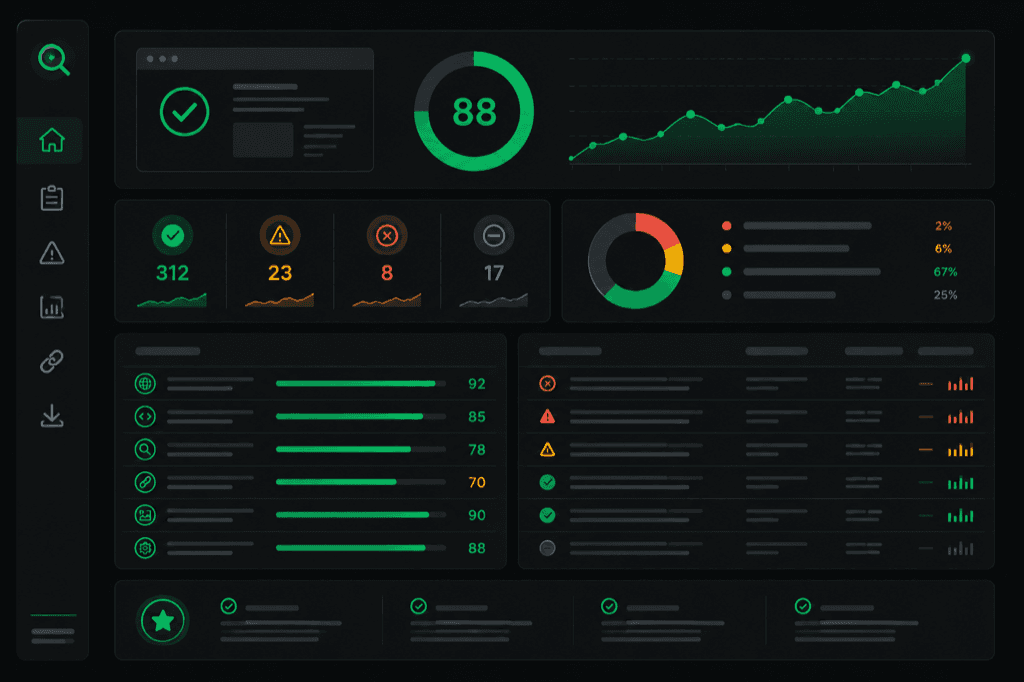
Key Takeaways
- A practical template separates scope, observed evidence, triage, implementation guidance, and follow-up measurement
- Severity is a documented triage rule, not a forecast of traffic, rankings, revenue, or implementation difficulty
- Competitive comparisons belong only when the same metric and collection method were used for every site
- Automation can standardize formatting; a reviewer still owns scope, interpretation, and client-specific priority
Consider a common delivery problem: a long crawl export lists URLs and flags but does not state which pages were sampled, how findings were scored, or who should review them. This is an illustrative workflow scenario, not a measured claim about how most clients behave.
A useful SEO audit report template preserves the crawler evidence while adding an explicit scope, a transparent triage method, an owner, and a verification step. It should not translate a technical observation into revenue impact unless customer analytics and an agreed attribution method support that conclusion.
The difference between a report that gets shelved and one that drives action comes down to three structural decisions: what sections to include, how to score severity, and how to present fixes so a developer or marketing manager can act on them immediately.
Why Most Audit Reports Get Ignored
Audit tools generate data. Clients need decisions. The gap between those two things is where most reports fail.
A typical Screaming Frog or Sitebulb export gives you every crawled URL with its status code, canonical tag, meta title length, word count, and internal link count. That is useful for the SEO analyst running the audit. It is useless for the VP of Marketing who needs to decide where to allocate the next sprint's engineering resources.
The problem has three layers:
- No prioritization rule — a long finding list does not reveal whether order came from severity, page scope, customer judgment, or measured impact
- No context — "missing H1 tag on /products/widget-3" needs the captured source evidence, affected URL, check definition, and a bounded explanation; the finding alone does not establish a ranking or revenue loss
- No next step — finding a problem without explaining the fix creates a second project: figuring out what to do about it
For performance findings, state whether the value is a single Lighthouse lab run or real-user field data. Google documents that lab and field data measure different conditions; neither should be presented as a revenue estimate.
The fix is structural, not cosmetic. A better report template does not just look nicer — it reorganizes the same crawl data around the client's ability to act on it.
A Five-Section Template to Adapt
There is no universal report length or structure. The five sections below are a working template: keep only sections supported by the contracted scope and collected evidence.
| Section | Audience | Purpose | Length |
|---|---|---|---|
| 1. Executive Summary | Decision-maker (CMO, VP) | Overall score, top 3 risks, estimated impact | 1 page |
| 2. Category Scores | Both | Visual breakdown: technical, on-page, speed, mobile, content | 1-2 pages |
| 3. Prioritized Findings | Implementer (dev, SEO) | Each issue with severity, affected URLs, fix instruction | 5-15 pages |
| 4. Competitive Benchmark | Decision-maker | Client vs. top 3 competitors on same metrics | 1-2 pages |
| 5. Recommended Next Steps | Both | Phased action plan: week 1, month 1, quarter 1 | 1 page |
Section 1: Executive Summary. State the audited scope, checks run, highest-priority observed findings, and important exclusions. Do not label a finding “revenue-impactful” without customer data and a documented attribution method.
Section 2: Assessed Categories. Show only categories actually evaluated, with checks run and exclusions beside each score. MendMySEO's current deterministic report assesses Technical and On-Page only; it must not render unassessed content, keyword, or link categories as scored results.
Section 3: Prioritized Findings. The core of the report. Each finding gets a severity level (critical, high, medium, low), the affected URLs, a plain-language explanation of why it matters, and a specific fix instruction. "Missing canonical tags on 23 product pages" is a finding. "Add <link rel='canonical' href='...'> to the <head> of each product template — here is the code" is a fix. The gap between those two determines whether the report generates action or collects dust (example).
Section 4: Competitive Benchmark. Pull the same metrics for the client's top 3 competitors. This section creates urgency that internal data alone cannot. "Your page speed is 3.8 seconds" is a data point. "Your page speed is 3.8 seconds; your top competitor loads in 1.4 seconds" is a business problem. A SERP battle map, for example, lays out each competing domain's content strengths and exploitable gaps side by side — so the benchmark drives content decisions, not just anxiety.
Section 5: Recommended Next Steps. A phased action plan. Week 1: fix the critical items (broken redirects, missing canonicals, server errors). Month 1: address high-severity issues (page speed, mobile usability, thin content). Quarter 1: tackle strategic improvements (content gaps, link building targets, AI search optimization). This section turns the audit from a diagnosis into a project plan.
Automate the Structure, Personalize the Insight
Do not assume a fixed automation saving. Time the current workflow—crawl, evidence review, explanation, export, and quality assurance—then compare the same scoped deliverable after automation.
That time ratio is inverted from where it should be. The crawl and categorization — the mechanical parts — should be automated. The analyst's time should go to the parts that require judgment: interpreting the competitive benchmark, prioritizing findings based on the client's specific business goals, and writing the executive summary in language the decision-maker understands.
Automation coverage varies by product and configuration. A white-label SEO audit report can standardize presentation, but a reviewer must still verify evidence, exclusions, suggested code, and any business-priority statement before delivery.
A template can make section order repeatable; it cannot guarantee completeness. Completeness is defined only against a disclosed check set, URL sample, fetch conditions, and evidence contract.
The current MendMySEO full-audit contract samples up to 10 pages and scores two dimensions using six deterministic rule families. Anything outside that disclosed boundary requires separate evidence and review.
The illustrative MendMySEO demo shows how bounded evidence and guidance can be organized; it does not prove automatic production delivery or full-site coverage. Review the current release status — commercial access remains evidence-gated.
Frequently Asked Questions
What is the ideal length for an SEO audit report?
There is no evidence-based universal page count. Choose the shortest format that states scope, evidence, priority, owner, next action, and exclusions without hiding material findings; move machine-readable detail to an appendix when the recipient needs it.
Should I include raw crawler data in the report?
Not in the main report. The client-facing document should contain interpreted findings with severity, context, and fixes. If the client's development team wants raw data (full URL lists, status code tables, redirect chain maps), attach it as an appendix or provide a link to the hosted crawl report. Mixing raw data into the narrative sections buries the actionable insights.
How do I score audit categories?
If you use a score, publish its assessed categories, checks run, weights, repeated-finding treatment, and exclusions. Never assign values to unassessed categories. A score is a summary of that declared rubric, not Google's rating of the site or a prediction of traffic.
What makes a good competitive benchmark section?
Pull the same 5-6 category scores for the client's top 3 organic search competitors — not their business competitors, their SERP competitors (the sites ranking for their target keywords). Show the comparison as a simple table: client score vs competitor scores per category. The gap between the client's weakest category and the competitor's strongest in that same category is the most urgent finding in the report.
Can I automate the entire audit report?
Automation can produce only what its collectors and rules support. Human review remains necessary for scope, false positives, business priority, unsafe code suggestions, and claims about outcomes. Measure time and quality on your own repeated workflow before making a savings claim.
Ready to see what your audit looks like?
Explore an illustrative static report; the demo does not crawl the URL you enter.