
NAP and Schema Consistency: Match the Facts, Not Every Character
Key Takeaways
- Google does not document character-for-character NAP comparison as a ranking mechanism
- Prioritize material conflicts: wrong names, old phone numbers, incorrect addresses, closed locations, and mismatched visible content
- Consistent formatting can simplify operations, but harmless punctuation and abbreviation variants are not proof of separate entities
- An audit can compare supplied sources; a static website demo cannot read a live Business Profile or directory network
Suppose a plumber rebrands. Its website and Business Profile show the new name and phone number, while an old directory listing still shows the former brand and disconnected line. That is a material accuracy problem for users. By contrast, a period after “Co” or “Street” versus “St” may be only a formatting variant and should not be presented as the cause of a ranking change.
NAP schema consistency means that the Name, Address, and Phone number in structured data accurately describe the business information visible on the page. It is operationally useful to standardize formatting across sources you control, but Google does not publish an exact-string algorithm that turns harmless formatting differences into separate businesses.
If you are unfamiliar with the term, read our guide on what NAP means in SEO. This article focuses on separating meaningful factual conflicts from formatting noise and on keeping structured data aligned with visible content.
Compare Material Facts Before Formatting
Search systems may use many signals to associate references with a real-world business, but the full mechanism and weights are not public. Auditors should therefore report what they can observe: whether the business name refers to the same operation, whether the address identifies the same place, and whether the phone number reaches the same business.
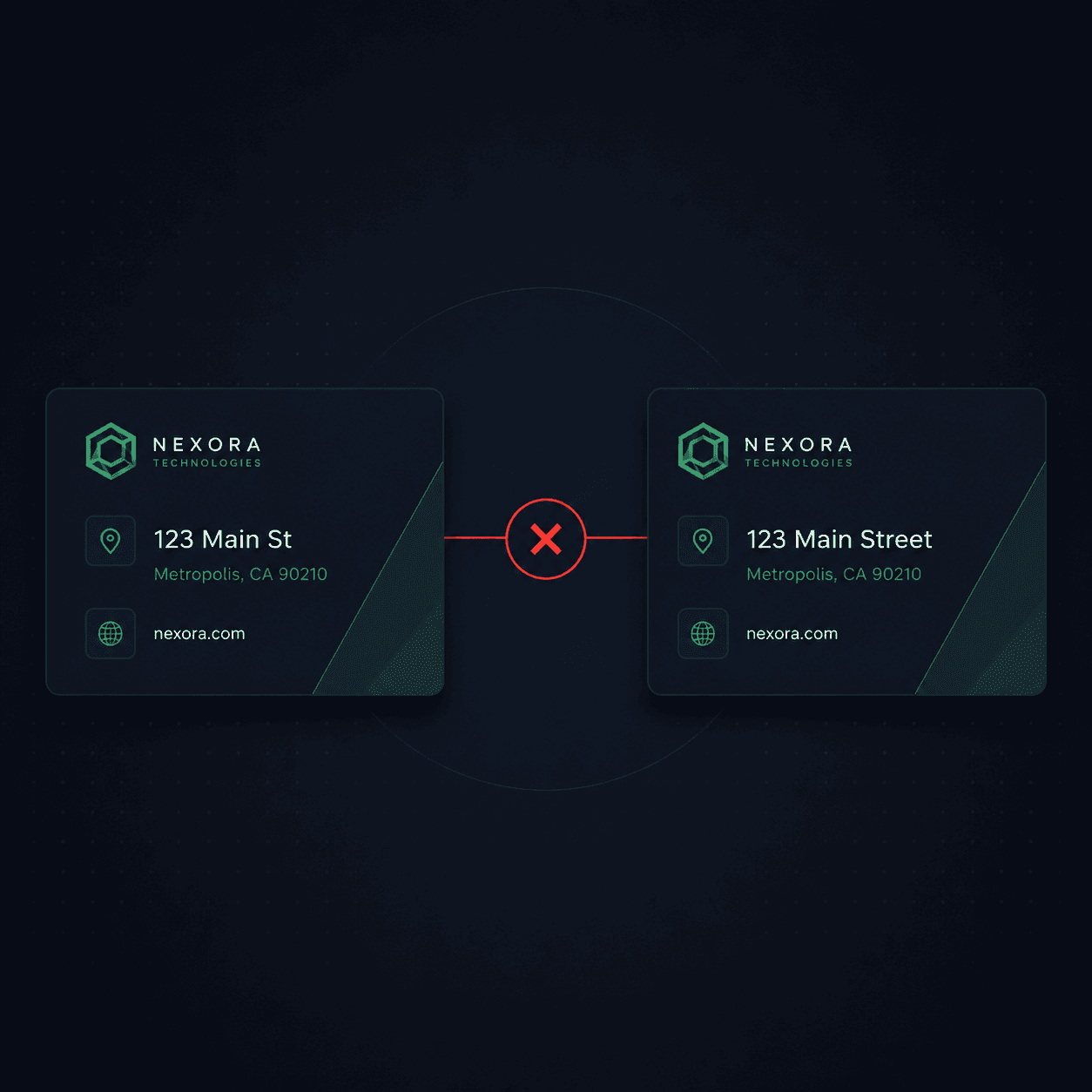
Normalize common variants before escalating a mismatch. “123 Main St” and “123 Main Street” may refer to the same address; “123 Main St” and “987 Oak Ave” do not. Likewise, different punctuation around the same phone digits is not equivalent to an old or disconnected number.
| Source A | Source B | Audit treatment |
|---|---|---|
"Lone Star Plumbing Co." | "Lone Star Plumbing Co" | Formatting variant; verify the same business |
"+1-512-555-0199" | "(512) 555-0199" | Normalize digits before comparison |
"Suite 200" | "Ste 200" | Common abbreviation; verify the same unit |
"Austin, TX 78701" | "Austin, TX 78701-1234" | Potentially compatible ZIP variants; verify address |
"4521 W Oak St" | "987 Pine Ave" | Material conflict; investigate and correct |
Google's LocalBusiness structured data documentation defines supported properties and says structured data must represent the page's visible content. Follow that documentation and use a consistent internal source of truth; do not invent an undocumented penalty for punctuation.
When Schema and Visible Facts Disagree
Your website's JSON-LD is one source you control, and Google requires it to match the content users can see. If the page shows one address while the markup declares another, correct the discrepancy. A Business Profile or directory discrepancy should be verified directly on that platform rather than assumed from a site crawl.
Materially inconsistent contact details can confuse customers and cause calls or visits to fail. That user-facing risk is enough reason to fix them. Google does not expose an “entity confidence score” that an audit can calculate, so reports should not invent one or attribute a ranking change to it.
Industry surveys may document consumer frustration with incorrect details, but that does not reveal Google's algorithm. Keep the consumer evidence and Search claims separate.
Address mismatch: structured data ≠ visible page
Structured data:
"streetAddress": "4521 W Oak St, Ste 200"
Visible contact page:
987 Pine Avenue
Corrected schema
"streetAddress": "987 Pine Avenue"
Illustrative static finding based on one page; it does not access a live Business Profile or directories. See the sample →
The practical rule is to maintain one verified source of truth for business facts, then update the website, structured data, Business Profile, and important listings from it. Preserve platform-required formatting where needed; focus escalation on material differences.
How to Audit NAP at Scale Without Overstating Differences
At scale, normalization helps reviewers distinguish harmless presentation variants from material changes. Compare normalized phone digits and parsed address components, then route genuinely different values for human review.
Different platforms may reformat punctuation, state names, and phone presentation. Exact string comparison is useful for finding candidates, but it should not be the final verdict. The reviewer needs source access and business context.
A capable cross-source audit can normalize and compare:
- Name differences — harmless punctuation versus a former brand or unrelated business
- Address differences — abbreviation variants versus a different street, unit, or location
- Phone differences — presentation separators versus different digits or extensions
- Encoding issues — curly quotes vs straight quotes, em-dash vs hyphen, non-breaking spaces
- Stale data — old phone numbers, previous addresses, pre-rebrand names that were never updated
Flag the source values and explain why the difference is material or uncertain. Avoid a binary ranking verdict when the evidence only shows a formatting difference.
The illustrative MendMySEO demo does not establish live GBP/directory access, complete NAP coverage, or production availability. Review the current release status.
Frequently Asked Questions
Should I match my schema to GBP or the other way around?
Make both reflect the same verified real-world facts and the content visible on the site. Use a shared business record to coordinate updates. Google does not publish a rule that the Business Profile's exact formatting must override every other source.
Does phone number format actually matter if the digits are the same?
Different separators can represent the same number, so normalize digits and country code before calling them inconsistent. The critical issue is a different or obsolete number. Follow the property's documented format and keep the visible contact information accurate.
How often do NAP mismatches actually cause ranking drops?
There is no reliable rule that converts a count of NAP variants into a ranking loss. Investigate Search performance with broader evidence and fix materially wrong business information for users. Do not attribute a decline to punctuation alone.
What about businesses with multiple locations?
Use separate location pages and structured-data nodes when each location has distinct public facts. A unique @id can identify each node, but it is not universally required. Follow Google's applicable LocalBusiness guidelines and ensure every marked-up fact is visible and current.
Can I fix NAP inconsistencies on third-party directories?
Correction methods vary by directory. Claim the listing or use its documented correction process where available, and record sources you could not verify. Do not assume a directory can be removed or that one aggregator update will propagate on a fixed schedule.